


Would You Rather Question Game
4.23.00 Reviews
App Specs
- Version
- 1.1.0
- Updated On
- License
- Free
- Downloads
- 10,000+
- Developer
- Ultimate Party Apps
- Categories
- Trivia
- Platform
- Android
Screenshots
 Analysis by AppCompare
When I want a low-effort way to get a group talking, a two-choice trivia game can work better than a complicated party activity. Would You Rather Question Game is built around that simple idea: pick between two scenarios, then explain your choice. Its appeal is less about mastering a system and more about seeing where a conversation goes once everyone has an opinion.
A quick game with a clear purpose
This is a trivia game from Ultimate Party Apps, though it plays more like a prompt-driven conversation starter than a test of facts. The current version is 1.1.0, and the game is free to start, with optional in-app purchases listed at $4.99 per item. Its average rating is 4.3 from 141 ratings, and it has passed 10K installs. Those figures suggest a modest audience rather than a huge social-game phenomenon, so I’d treat it as a handy option to try, not a guarantee that every group will love it.
The important distinction is that the fun depends on the people playing. A question can be silly on its own, but the best moments usually come when someone gives a surprising reason for choosing one side. I’d use it when a group needs a nudge to start talking, not when everyone is expecting a deep, structured game with rounds, scores, and a clear winner.
Where it fits in a real evening
Imagine friends arriving at a casual get-together at different times. Rather than wait for the whole group before starting an activity, one person can bring up a dilemma and let whoever is there answer. Late arrivals can join the next question without needing a rules explanation or a recap. That flexibility is one of the strongest reasons to keep this kind of game available: it can fill a short pause without taking over the evening.
It also suits a car ride or a relaxed meal, provided someone else handles the phone while the driver concentrates on the road. For a remote hangout, the same basic format works if one person reads each choice aloud and the others answer over the call. The app is a prompt source, not a substitute for a shared conversation, so it works best when players are willing to elaborate instead of simply tapping a choice and moving on.
Who will enjoy it—and who may not
I can see this being a good fit for people who like quick social games, casual hosts who want an easy icebreaker, and groups that enjoy debating harmless hypotheticals. It needs little explanation, and a player can take part without having experience with mobile games. The Everyone content rating makes it broadly accessible by rating, though I’d still preview prompts before using it with young children or a mixed-age group, especially since its store summary pitches it as a game for adults.
I’d skip it if your group dislikes hypothetical questions, wants a goal to work toward, or prefers games where skill and strategy decide the outcome. It is also not the best choice for a formal party plan that depends on tightly timed rounds or carefully controlled content. In those cases, a trivia quiz with fixed answers or a tabletop party game with a defined structure may be a better match.
Worth Reading Before You Choose

Baby Panda World Brings Quick Play to Modern Phones, but Its Game Library Feels Busy

ESPN’s Live Game View Makes Following Close Games Easier

QuizzLand Review: A Good Fit for Short Trivia Breaks, Not Every Player

Basketball Stars: Multiplayer Is Fast, but Can It Recover When Matches Go Wrong?

WEBTOON Turns Phone Updates Into a Better Reading Routine

Link to Windows Runs on Shared Habits, Not Social Feeds
Getting Started with the Game
First things first, downloading the Would You Rather Question Game is a breeze. It's available on both Android and iOS, so no one’s left out. Once you’ve got it installed, you’ll be greeted by a clean, user-friendly interface. It’s not crowded with ads or unnecessary features, which is a huge plus in my book.
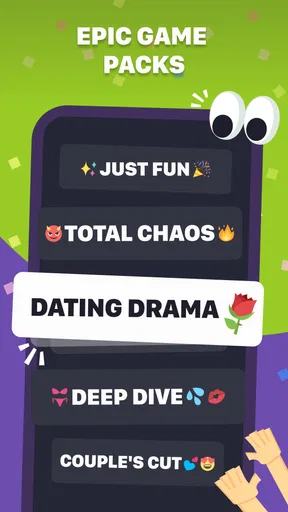
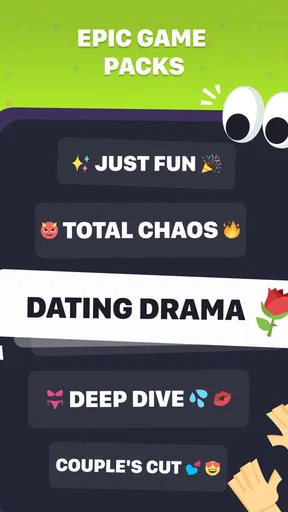
Navigating through the app couldn’t be easier. The main menu offers a few simple options, letting you jump straight into the fun. Whether you're playing solo or with a group, the game offers a variety of categories to choose from. Trust me, there's something here for everyone.
How to Play
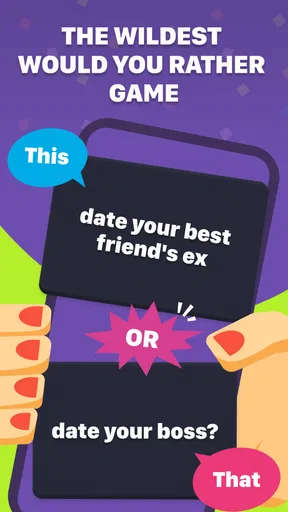
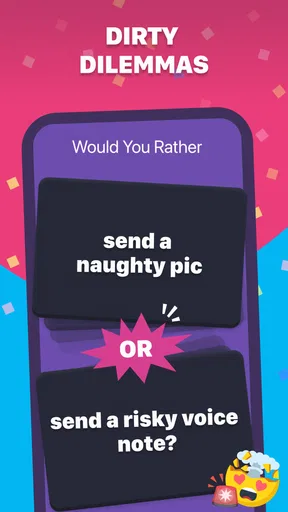
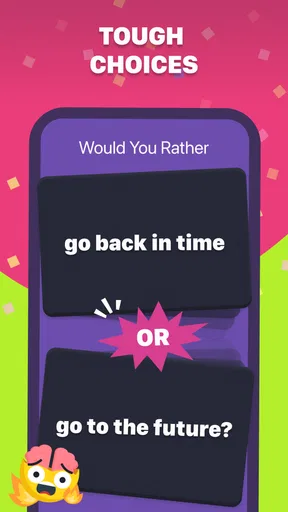
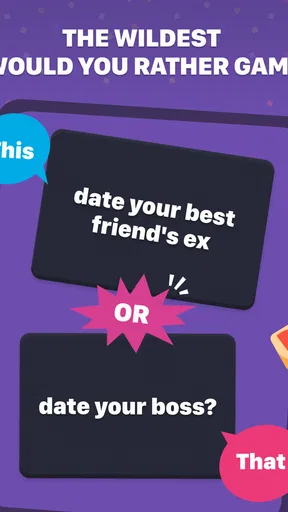
The concept is simple yet endlessly entertaining. You're presented with two options and, as the name suggests, you have to choose which scenario you’d rather go with. The questions range from the hilarious to the downright bizarre. For example, would you rather "have a pet dinosaur" or "be able to fly"? That’s the kind of whimsical dilemma you’ll face!
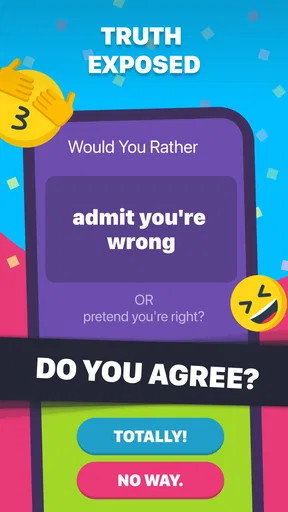
There's an option to track your choices and compare them with others, which adds a fun competitive edge. It's intriguing to see what other users would choose, and it can spark some lively debates among friends.
Features That Stand Out
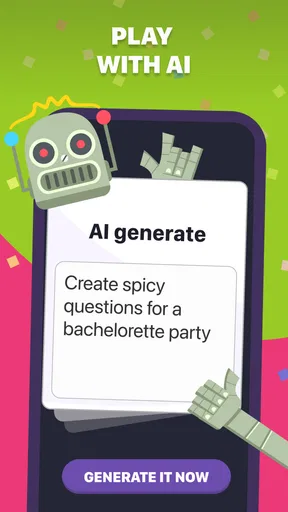
One of the coolest features is the ability to create your own questions. This adds a personal touch and keeps the game fresh every time you play. You can even submit your questions for others to enjoy, making it a community-driven experience.
The app also updates regularly with new content, so you’re unlikely to run out of questions. It’s perfect for those moments when you need a quick icebreaker or just want to kill some time with something more engaging than scrolling through social media.
Making the most of the prompts
For a quieter group, I’d avoid putting everyone on the spot at once. Let people pass, answer in pairs, or give a reason only if they feel like it; that keeps a playful prompt from turning into an awkward test of confidence. With a lively crowd, try asking each person to defend the less popular choice rather than arguing that one answer is objectively right. The point is to reveal how differently people think, not to score a debate.
A useful hosting habit is to keep the phone with one person and read the choices aloud. Passing the device around can interrupt the rhythm, while a single reader lets everyone stay involved. If a prompt falls flat, move on quickly instead of trying to rescue it. The format is strongest when the next question arrives before the group feels obliged to manufacture a reaction.
When people already know one another well, the game can still work, but I’d make the explanations the focus. Ask what detail made a choice difficult, or whether someone’s answer would change under a small twist. That turns a familiar either-or prompt into a personal story without needing extra rules. With new acquaintances, keep the tone light and steer away from questions that invite judgment about someone’s real-life choices.
How it compares with other party games
Compared with a standard trivia quiz, this game asks for preferences rather than correct answers. That removes the pressure of getting facts wrong and makes it easier for people with different interests to join in. The trade-off is that it offers less of a built-in sense of progress: if your group wants points, a winner, or a challenge that rewards knowledge, a conventional quiz is likely to satisfy them more.
It is also less structured than many tabletop party games. Those often provide turns, objectives, or a specific way to win; here, the group supplies much of the energy. I find that a strength for casual gatherings and a weakness for people who want the game itself to do all the entertaining. A conversation-led alternative can be more rewarding, but only if players are comfortable adding their own stories and reactions.
Against simply asking friends questions from memory, having an app on hand can remove the pressure on the host to invent prompts. On the other hand, a personally chosen set of questions may fit a particular group better. I’d use this game as a ready-made starting point, then switch to your own topics if the mood calls for something more tailored.
Practical limits to keep in mind
Even a large supply of prompts can feel repetitive if the same people play often. The issue is not just seeing a question again; it is that familiar players may already know each other’s answers, which reduces the surprise. To stretch a session, play in short bursts, rotate who reads, or ask for a reason before revealing what others chose. Those small changes add variety without pretending the app has a deeper progression system.
The game’s audience also deserves a little thought. It is rated Everyone, while its store summary describes it as aimed at adults. For a family gathering, I would check the wording of prompts as they appear and decide what fits the youngest players present. The age label is useful context, but a host’s judgment is still more dependable than assuming every question suits every room.
There is a further trade-off in user-created material: making and submitting questions can help keep play personal, but it also means the most appealing content depends partly on what people contribute and what the group enjoys. I’d treat that as a way to add possibilities, not a promise that every player-made prompt will be equally polished or appropriate for every occasion.
What the release details tell me
The game was released on September 24, 2025, and its current version is 1.1.0. That gives existing players a useful point of reference, but a version number by itself does not tell me exactly what changed or how the experience has evolved. I wouldn’t assume that a particular update added a feature unless I could see it in the app. For someone deciding whether to install it now, the practical question is whether the current prompt selection and play style suit their group.
It supports devices running Android 5.1 or later, which makes it accessible to a range of older Android phones. As with any group game, the host should make sure the device is charged and easy for everyone to hear or see; nothing derails a casual round faster than a phone that keeps disappearing into someone’s hands while the rest of the group waits.
If you are wondering whether you need to pay before trying it, the game is free, with in-app purchases priced at $4.99 per item. I’d start with the free experience and decide whether the available content is enough for your usual sessions before spending anything. That is a sensible approach for a game whose value depends so much on how often your particular group wants to play.
Why You'll Love It
What I love most about this game is its ability to bring people together. Whether you’re in the same room or playing remotely, it sparks conversation and lets you get to know people in a fun, light-hearted way. It’s ideal for parties, family gatherings, or even virtual hangouts.
Another highlight is its accessibility. You don’t need to be a hardcore gamer to enjoy it. The questions are straightforward, and there are no complicated rules or setups. It's just pure, unadulterated fun.
Room for Improvement
While the app excels in many areas, there’s always room for improvement. Occasionally, some questions might feel repetitive, especially if you're a frequent player. However, with the constant updates and user-generated content, this is a minor gripe.
It would be great to see more customization options in future updates, perhaps with themes or different visual styles to choose from. But honestly, these are just nitpicks in an otherwise stellar app.
What I’d look for next
For me, the most useful signs of continued development would be a clearer sense of how new prompts are introduced and whether players have practical ways to keep questions appropriate for different groups. Those details matter more than cosmetic changes for a game used in mixed company. I’d also value options that make it easier to tailor a session, but I’d wait to see them appear rather than plan around features that may not arrive.
Existing players do not need to relearn a complicated system to return: the central activity remains choosing between two scenarios and talking about the choice. That simplicity is a benefit, although it also means that meaningful evolution would show up mainly in the quality, range, and suitability of prompts. If you already enjoy the current format, keep an eye on how it feels over several sessions rather than judging it by one lively first round.
Final Thoughts
In a world where apps are often cluttered with unnecessary features or intrusive ads, the Would You Rather Question Game is a breath of fresh air. It’s straightforward, enjoyable, and perfect for all ages. Whether you’re looking to break the ice or just have a good laugh, this app delivers in spades.
So, if you haven't already, give it a try. It’s the kind of game that can turn any dull moment into a memorable one. What are you waiting for? Download it today and let the fun begin!
Pros
- Easy to understand and play.
- Wide variety of questions.
- Promotes social interaction.
- Customizable question sets.
- No in-app purchases required.
Cons
- Limited offline functionality.
- Some questions can repeat.
- Ads can be intrusive.
- Lacks single-player mode.
- No leaderboard features.
FAQs for Would You Rather Question Game
What is the main objective of the Would You Rather Question Game?
The primary goal of the Would You Rather Question Game is to entertain players by presenting them with a series of challenging and humorous dilemmas. Players must choose between two options, often leading to lively discussions and debates. It's a great way to break the ice or liven up gatherings with friends or family.
Is the Would You Rather Question Game suitable for all age groups?
Yes, the game is designed to cater to a wide range of age groups. However, it offers various categories, including family-friendly and adult-oriented questions. Players can select the appropriate category based on the audience, ensuring a fun and comfortable experience for everyone involved.
Can I play the game offline, or do I need an internet connection?
The Would You Rather Question Game can be played offline, making it perfect for situations where internet access is limited. Once downloaded, the game does not require an internet connection to access its vast library of questions. This feature enhances its portability and convenience.
How can players contribute their own questions to the game?
Players can contribute by using the app's built-in feature to submit their own questions. This community-driven aspect allows users to share their creativity and see their questions included in future updates. Submissions are typically reviewed by the developers to ensure quality and appropriateness.
Are there any in-app purchases or ads in the Would You Rather Question Game?
While the game is free to download, it may include optional in-app purchases for additional question packs or to remove ads. Ads are generally non-intrusive, but purchasing the premium version can provide an uninterrupted experience. This model allows players to enjoy the game while supporting the developers.


